The best & easy way to fight against any data loss is backup. Sometimes backup itself not enough to recover lost or deleted data because there is no backup of data or backup has not updated data. We understand data loss can happen with anyone at any time. When it comes to data safety, you can never be 100% sure that your data is protected and safe from any kind of loss or situation. There is always something unexpected that can happen. Considering all the scenarios in mind, I recommend you a powerful full version data recovery software i.e. Bitwar data recovery. You can download this free trial data recovery software by clicking on “Download” button.
Bitwar Data Recovery is a fast, reliable, powerful, and free trial Data Recovery software.This free data recovery software to recover lost or deleted data from different storage devices such as internal & external hard drives, pen drives, memory cards, etc.
When you got to know that you have lost your important data or unable to access your most used drive/partition where you saved all your priceless data then stop using that drive/partition immediately, and use Bitwar Data Recovery to recover your data as soon as quickly.
Step 1:launch Bitwar Data Recovery, Select recovery mode according to the actual situation. you can select “Deleted File Recovery”, “Formatted Hard Drive Reocovery”, “USB/Memory Card Recovery”, “Recycle Bin Recovery”, “Lost Partition Reocovery” or “Deep Recovery”.
● Delete File Recovery:Disk data accidentally deleted files can be recover from here.
● Formatted Hard Drive Recovery: Mistakenly formatted disk,USB drive,removable hard drives and memory cards can be restored from here.
● USB/Memory Card Recovery: Accidentally deleted files on USB drive,removable hard drives,memory cards and camera card can be restored from here.
● Recycle Bin Recovery : Recycle Bin emptied by mistake or Deleted files from Recycle Bin can be restored from here.
● Lost Partition Recovery: Accidentally re-partition or Ghost installation system causes the partition lost,you can find lost partitions and files here.
● Deep Recovery: Matching existing file structure in partition can find more files,but with no file name provided,scanning will take longer.
Read more? Download data recovery software full version free
2019年7月31日星期三

How to recover deleted files on SD Card?
SD Card is a storage card in digital cameras, handheld and mobile computers, cell phones, music players, video game consoles, and other electronics to save data. But sometimes, data loss happens unexpectedly due to accidental deletion, formatting, the raw issue with SD Card error, virus attack or some other reasons and then erase your files like photos stored in the SD card.
How to recover deleted files on SD Card? If you met the same or similar situation mentioned above, You need to understand that the deleted/lost data are always hidden somewhere in your card, just you haven't found them yet. Hurry up! All you need is the best data recovery software. And you still have chances to recover deleted files on SD card.
How to recover deleted files on SD Card? If you met the same or similar situation mentioned above, You need to understand that the deleted/lost data are always hidden somewhere in your card, just you haven't found them yet. Hurry up! All you need is the best data recovery software. And you still have chances to recover deleted files on SD card.
It supports recovering all data type, including photos, music, PDF files, videos, Documents from computer hard drives, retrieving formatted USB drive and all storage media like SD Cards, CF Cards, etc.
With its powerful data recovery capacity and wizard-like interface, it is the best choice to recover deleted files from SD card. Whatever your initial causes are, Bitwar Data Recovery is guaranteed to solve them all. Next, we will show you how to use Bitwar Data Recovery software to recover deleted files step by step.
2019年7月25日星期四
How to recover deleted text messages on iPhone?
As an iPhone user, Message may be one of the most important Apps on iPhone, you use it to chat with friends, receive important info with messages.If you accidentally delete or lose Messages,what should you do?How to recover deleted text messages on iPhone?
If you have ever backed up your iPhone to iCloud or iTunes you should be able to restore your iPhone text messages from the backup. But If you have not backed up, For non-computer professional, it is almost impossible to find these deleted data, and restore them, unless getting help from a professional iOS data recovery software. Bitwar iPhone Data Recovery is just the one, which is the best iOS data recovery software. It can help you recover deleted text messages on iPhone without Backup. Following you can find more features of this software:
1.Supports to recover deleted/lost data from iPhone,including Messages, Call logs, contacts, bookmark, Videos, Photos, Notes, etc.
2.Supports to extract data from iTunes backup and iCloud backup selectively to computer. Unlike restoring from iTunes or iCloud, PhoneRescue for iOS enables you to preview the whole iTunes/iCloud backup directly without restoring, and selecting the message you want to get back to iPhone. All the current content on your iPhone will keep safe.
3.Compatible with iPhone 4/5/5c/5s/6/6s/6 plus/6s plus/SE/7, iPad Pro/Mini, iPod Touch 4/5 and more iDevice running iOS 11/10/9/8/7.
4.No matter whether you have made backups in advance, PhoneRescue for iOS can get back the deleted messages quickly, as long as they have not been overwritten yet.
Download iTunes:https://www.apple.com/itunes/download/

If you have ever backed up your iPhone to iCloud or iTunes you should be able to restore your iPhone text messages from the backup. But If you have not backed up, For non-computer professional, it is almost impossible to find these deleted data, and restore them, unless getting help from a professional iOS data recovery software. Bitwar iPhone Data Recovery is just the one, which is the best iOS data recovery software. It can help you recover deleted text messages on iPhone without Backup. Following you can find more features of this software:
1.Supports to recover deleted/lost data from iPhone,including Messages, Call logs, contacts, bookmark, Videos, Photos, Notes, etc.
2.Supports to extract data from iTunes backup and iCloud backup selectively to computer. Unlike restoring from iTunes or iCloud, PhoneRescue for iOS enables you to preview the whole iTunes/iCloud backup directly without restoring, and selecting the message you want to get back to iPhone. All the current content on your iPhone will keep safe.
3.Compatible with iPhone 4/5/5c/5s/6/6s/6 plus/6s plus/SE/7, iPad Pro/Mini, iPod Touch 4/5 and more iDevice running iOS 11/10/9/8/7.
4.No matter whether you have made backups in advance, PhoneRescue for iOS can get back the deleted messages quickly, as long as they have not been overwritten yet.
Prepare to restore the environment
You need to install two software:iTunes and Bitwar iPhone Data Recovery. If you have previously installed, skip this step.1、install iTunes
You need to install iTunes before installing Bitwar iPhone Data Recovery. Itunes can provide modules support for Bitwar iPhone Data Recovery software.Download iTunes:https://www.apple.com/itunes/download/
2、Install Bitwar iPhone Data Recovery
Free download and install Bitwar iPhone Data Recovery On this official website on your Computer: https://www.bitwar.net/ios-data-recovery-software/. Bitwar iPhone Data Recovery software has two versions to support Mac OS or Windows OS. Choose the correct software to install based on your computer's operating system.
Download Bitwar iPhone Data Recovery: https://www.bitwar.net/ios-data-recovery-software/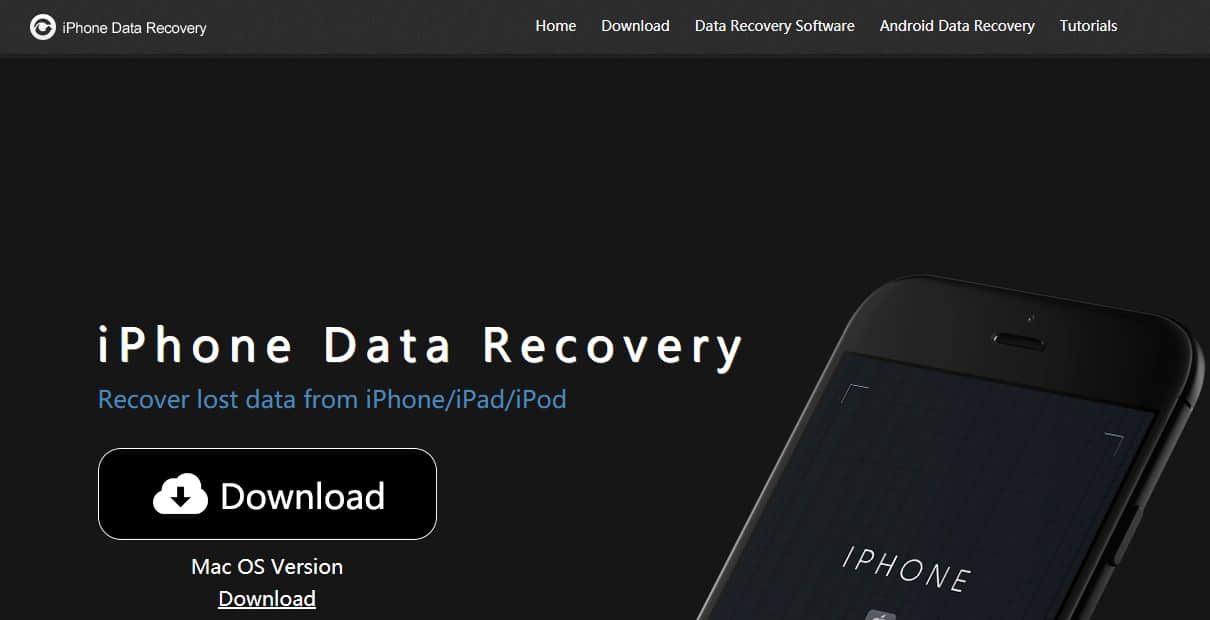
2019年7月15日星期一
How to restore lost data from Android phone?
Android is a popular mobile platform used by many users. It's stored a lot of important data which can put you in great panic when your precious files disappear. There are many possible reasons for data loss on Android phones, For instance, you may delete the photos, contacts, text messages and so on by accident. Don't worry! No matter what kind of the reason caused data loss, Bitwar Android Data Recovery allows you restore lost data Easily.
Bitwar Android Data Recovery is a best data recovery software to restore lost data for Android device. It can recover Contacts, Messages, Call history, Photos, Videos and Voices from all devices that runs on Android.However if the user does not use this software in the appropriate way then the chance of recovering all the lost data may be low. So you must read this article before you actually use this software.
The recovery procedure only takes 4 simple steps.
Root your Android device means get the highest privileges on the phone. users log in your Android phone after Root just like logging on your computer as Administrator. Whether it is the Windows version or APP version of the mobile data recovery requires root your android phone before the recover. and so does Bitwar Android Data Recovery.
There are two ways to root Android devices--Root on the computer or install APK Root on your Android device. For information on how to root, refer to How to Root Your phone.
Bitwar Android Data Recovery is a best data recovery software to restore lost data for Android device. It can recover Contacts, Messages, Call history, Photos, Videos and Voices from all devices that runs on Android.However if the user does not use this software in the appropriate way then the chance of recovering all the lost data may be low. So you must read this article before you actually use this software.
How does Bitwar Android Data Recovery software work?
If you delete the data accidentally, the first thing you need to do is to stop using your android device and try to recover lost data from Android with Bitwar Android Data Recovery software as soon as possible, or it may have a higher risk to be overwritten and you are not able to get the lost data back anymore.The recovery procedure only takes 4 simple steps.
Install Bitwar Android Data recovery
1.Root your Android deviceRoot your Android device means get the highest privileges on the phone. users log in your Android phone after Root just like logging on your computer as Administrator. Whether it is the Windows version or APP version of the mobile data recovery requires root your android phone before the recover. and so does Bitwar Android Data Recovery.
There are two ways to root Android devices--Root on the computer or install APK Root on your Android device. For information on how to root, refer to How to Root Your phone.
2019年7月3日星期三
How to format a USB Drive on Mac
How to format a USB Drive on Mac?Want to erase data from the hard drive?
Not every flash drive out there can be used with a Mac computer right out of the box. Some flash drives have to be formatted first before you can store files on them. In addition, Formatting indeed repairs a corrupted, damaged, inaccessible and even RAW USB or SD card but will erase all saved data. However, losing data is something we don’t want. So is it possible to format USB flash drive on Mac without losing data.
Is it possible to format USB flash drive on Mac without losing data?
Sometimes, USB drive get corrupted and become raw or inaccessible due to various reason. And you will find the USB drive cannot be recognized, or the system will prompt an unformatted error after plugged the drive, then should we format the USB drive and lose all of data?
The answer is no, you are recommended to perform a fast data recovery to recover files from the flash drive before formatting it if you want to keep all your files. Now let’s talk about how to restore the lost data back first.
How to restore the lost data from the corrupted USB flash drive?
Bitwar Data Recovery for Mac can be used to recover data lost due to deletion, partition errors, formatting, virus attacks, system failures and a variety of other reasons. it is the best data recovery software for mac since it is compatible with any devices such as digital camera, hard drives, SD cards, Memory cards, media players and portable drives. Moreover, this program allows you to preview scanned out data to make a selectively recovery.
read more? How to format a USB Drive on Mac
2019年7月2日星期二
Recuva Free Data Recovery Alternatives
Sometimes, we lose our important data from hard disk by accidentally pressing the Delete key. The most frequent way we do is to restore the file from the Recycle Bin, but what should you do if it not in the Recycle Bin? You can download the best free alternative to replace Recuva free crack, patch, serial keys, Keygen, etc. Here, it can do all the things that Recuva can do.
Data lost is almost unavoidable when we use the computer. In that case, we search for available solutions on the Internet and find a file recovery program like Recuva for help. When we download and install this software ready to rescue our important data, just surprised to find that it is chargeable. Then you went to Google to find the Recuva crack keygen, serial key, license code, activation code, etc.
However, it's really not the best choice and not a recommended way. Since you will take many risks if you tried a cracked Piriform Recuva professional software. But you may discover that you waste a lot of of time and efforts with no harvest. And your data might be corrupted if you try a cracked Recuva with unknown virus or malware, because the installation programa are always packaged with them.
Stop using Recuva to recover data right now. And as an alternative, we introduce you Bitwar Data Recovery Software which is a full version with fast speed and powerful functions. It has no recovery amount limit and is more efficient and safer.
In contrast, free Bitwar Data Recovery software can help you retrieve your lost files in several simple steps in all complex data loss situations. It acts exactly what Recuva Data Recovery cannot do.
Advantages of Bitwar Data Recovery Software:
1. It can recover lost or deleted files, photos, audio, music, compress files from any storage device effectively, safely and completely.
2. Bitwar Data Recovery supports data recovery from recycle bin, hard drive, memory card, flash drive, digital camera and camcorders.
3. It can recover data for sudden deletion, formatting, hard drive corruption, virus attack, raw partitions, and system crash under different situations.
4. Bitwar Data Recovery allows you to make a selection before recovery data.
5. Various OS are supported: Windows 10/8/7/XP/Vista, Mac OS X (Mac OS X 10.11 El Capitan, 10.12 Sierra, and 10.13 High Sierra) on iMac, MacBook, Mac Pro etc.
Read more?Recuva Free Data Recovery Alternatives for Windows
Data lost is almost unavoidable when we use the computer. In that case, we search for available solutions on the Internet and find a file recovery program like Recuva for help. When we download and install this software ready to rescue our important data, just surprised to find that it is chargeable. Then you went to Google to find the Recuva crack keygen, serial key, license code, activation code, etc.
However, it's really not the best choice and not a recommended way. Since you will take many risks if you tried a cracked Piriform Recuva professional software. But you may discover that you waste a lot of of time and efforts with no harvest. And your data might be corrupted if you try a cracked Recuva with unknown virus or malware, because the installation programa are always packaged with them.
Stop using Recuva to recover data right now. And as an alternative, we introduce you Bitwar Data Recovery Software which is a full version with fast speed and powerful functions. It has no recovery amount limit and is more efficient and safer.
In contrast, free Bitwar Data Recovery software can help you retrieve your lost files in several simple steps in all complex data loss situations. It acts exactly what Recuva Data Recovery cannot do.
Advantages of Bitwar Data Recovery Software:
1. It can recover lost or deleted files, photos, audio, music, compress files from any storage device effectively, safely and completely.
2. Bitwar Data Recovery supports data recovery from recycle bin, hard drive, memory card, flash drive, digital camera and camcorders.
3. It can recover data for sudden deletion, formatting, hard drive corruption, virus attack, raw partitions, and system crash under different situations.
4. Bitwar Data Recovery allows you to make a selection before recovery data.
5. Various OS are supported: Windows 10/8/7/XP/Vista, Mac OS X (Mac OS X 10.11 El Capitan, 10.12 Sierra, and 10.13 High Sierra) on iMac, MacBook, Mac Pro etc.
Read more?Recuva Free Data Recovery Alternatives for Windows
订阅:
博文 (Atom)
Jak odzyskać usunięte lub utracone partycje na dysku Windows?
Po uruchomieniu komputera zauważyłeś, że jedna z partycji zniknęła? Twoje ważne dane mogą być przechowywane na tej partycji. Jak odzyskać ...

-
Having troubles on accessing your Gmail or Google account? Forgot the password or even the email address? Relax, use g.co/recover for hel...
-
Windows或Mac作業系統經常會丟失重要的檔案,或誤操作刪除、或誤格式化丟失、甚至中毒、系統出錯等。這誰都有遇到過。有什麼難的呢?我們可以到google上找尋一些好用的檔案救援軟體Data Recovery wizard來救回這些丟失的重要檔案。 搜尋好用的檔案救援軟體 ...
-
默認情況下, 還原點 Win10 功能已成為Windows作業系統的一部分。該功能使您可以快速將Windows PC還原到較早的日期,而不會丟失個人檔案。例如,如果您的PC今天開始工作,則可以將PC復原到以前的日期(當PC運行良好時),以盡快解決Windows出現的問題。 根據磁...


