Bitwar Data Recovery for Mac helps recover data from Mac OS X. It is the best mac data recovery software. You can free download it on this article.
Data loss on mac can be devastating for us, especially if you don't have backup. Data backup is the first line of defense against disaster, but that's of little comfort to anyone. Backups are always timed and do not defend against all loss. That's why it's always a good idea to have a reliable mac data recovery software on hand for emergencies.
When files are deleted from your computer, you are simply deleting the directory listing for the particular file. The data remains on the disk and isn't permanently removed until it's overwritten with new data. Data recovery software is designed to scan for that hidden data and recover it as complete files. However, it's important to remember that with data recovery software, there's never a 100% guarantee that you can retrieve all of your files. If it has been overwritten, the data cannot be recovered. But Bitwar Data Recovery for Mac is better suited for different data loss scenarios, increasing your chances for the most recovery.
Different data loss cases supported by Bitwar Data Recovery for Mac:
1. Accidental deletion, such as deleted files by press shift + Delete key, deleted by other software, lost by power failure, and so on.
2. Lost data after performed a Quick format.
3. Deleted data from External devices, including Memory Card, USB hard drive, external hard drive or other external storage device.
4. Emptied the recycle bin or deleted files from the recycle bin.
5. Lost data from lost partition/deleted partition/hidden partition/resized partition.
6. Partition or external devices which connected to the computer shows 0 bytes (RAW).
Bitwar Data Recovery for Mac is a mac data recovery software that helps you recover accidentally deleted files from mac hard disks, USB flash drives, CF and SD cards and other storage media. It works on devices supported by NTFS, HFS/HFS+ and FAT file systems. And let photos, videos, music, and document come back to you in minutes.
If you want to know how to free download and install Bitwar Data Recovery for Mac to recover lost data, you should refer to: Free download mac data recovery software to recover lost files
2018年10月29日星期一

What is an iOS device and how to recover lost data from iOS device
What is an iOS device? If you accidentally lost your important data from iOS device.
Backing up for your iOS devices data via iCloud or iTunes is not the only effective way, next we will recommend you a professional iOS device data recovery software –Bitwar iPhone Data Recovery, it is a user-friendly and professional data recovery software for iOS device. It can recover the lost data of iPhone/iPad/iPod, including photos, videos, contacts, messages, notes, call logs, bookmarks, reminders and calendar, etc.by only three steps.
There are 2 recovery methods for iOS device to regain your lost files in a short time based on different situations.
- Recover from iOS device
If you didn’t back up the data of your iPhone, rest assured that this would not be a disaster because iPhone Data Recovery will manage to search and retrieve your lost data directly from your iOS device.
- Recover from iTunes Backup
If you have an iTunes backup and you want to recover data from your backup, with Bitwar iPhone Data Recovery, you can restore them easily and quickly. More importantly, recovery direct by iTunes will cover other useful data on your device, but Recover from iTunes backup with Bitwar iPhone Data Recovery will not.
Bitwar iPhone Data Recovery software has two versions to support Mac OS or Windows OS. You need to choose which one to use according to your computer.
●Download Bitwar iPhone Data Recovery:https://www.bitwar.net/ios-data-recovery-software/
What is an iOS device?
iOS device, (IPhone OS device) Products that use Apple's iPhone operating system, including the iPhone, iPod touch and iPad. It specifically excludes the Mac. Also called "iDevice" or "iThing." iOS is the most popular mobile OS among teenagers and business people.Data recovery on an iOS device
Losing your data permanently sounds catastrophic, but it happens time to time among iPhone owners. Some will erase data all by accident, although you found the data disappeared. The good news is that iOS device users can restore lost data through the iTunes backup or iCloud backup. However, if you haven't backed it up before the data is deleted, you won't be able to recover them very well.Backing up for your iOS devices data via iCloud or iTunes is not the only effective way, next we will recommend you a professional iOS device data recovery software –Bitwar iPhone Data Recovery, it is a user-friendly and professional data recovery software for iOS device. It can recover the lost data of iPhone/iPad/iPod, including photos, videos, contacts, messages, notes, call logs, bookmarks, reminders and calendar, etc.by only three steps.
There are 2 recovery methods for iOS device to regain your lost files in a short time based on different situations.
- Recover from iOS device
If you didn’t back up the data of your iPhone, rest assured that this would not be a disaster because iPhone Data Recovery will manage to search and retrieve your lost data directly from your iOS device.
- Recover from iTunes Backup
If you have an iTunes backup and you want to recover data from your backup, with Bitwar iPhone Data Recovery, you can restore them easily and quickly. More importantly, recovery direct by iTunes will cover other useful data on your device, but Recover from iTunes backup with Bitwar iPhone Data Recovery will not.
How to Install Bitwar iPhone Data Recovery software
Whether you would like to recover from iTunes or not, you need to install these two software on your computer - iTunes andBitwar iPhone Data Recovery. ITunes can provide modules support for Bitwar software. Bitwar iPhone Data Recovery can help you to recover data back.Bitwar iPhone Data Recovery software has two versions to support Mac OS or Windows OS. You need to choose which one to use according to your computer.
●Download Bitwar iPhone Data Recovery:https://www.bitwar.net/ios-data-recovery-software/
●Download iTunes:https://www.apple.com/itunes/download/
want to know how to recover lost data from iOS device?,please refer to:What is an iOS device and how to recover lost data from iOS device
2018年10月22日星期一
Best Free SD Card Recovery Software for windows
SD cards and SDHC cards are one of the most prevalent data storage mediums for mobile devices like cameras. Many of us use SD card to store pictures, documents, messages, etc. But data loss always happened on the SD card. If you are having a similar problem and need an easy way to get back deleted or lost data from SD card, you can try this free SD card recovery software - Bitwar Data Recovery. It can suit 5 common scenarios of data loss:
1. Deleted - Delete all files from SD card;
2. Shift + Delete- Click "Shift + Delete" to delete all files and they will not go to the recycle bin;
3.Corrupted SD card;
4.Formatted SD Card;
5.SD card shows 0 bytes (RAW).
No matter what kind of the issues, you can rely on Bitwar Data Recovery. It is a fast, reliable and powerful data recovery software with full versions. You can recover all types of files, including photos, videos, documents, audios, archives, etc. from hard disk, mobile hard disk, USB flash disk, SD card, memory card, digital cameras, and other devices.
Read here, I guess you may want to experience this excellent SD card recovery tool for yourself. Now, you can free download the professional Bitwar Data Recovery software from its official website or by simply clicking the following buttons. Then follow below steps to recover lost data.


With our Bitwar Data Recovery, you can retrieve:
1. Important files that you’ve lost on your memory card for unknown reasons
2. Files that you’ve accidentally or intentionally deleted
3. Files that were corrupted due to hardware error
4. Documents that were lost due to formatting or Factory Reset
5. Loss data due to viruses attack
6. Drive Error with RAW format
7. Card Ask Reformatting
No matter what type of data you lose, no matter what type of device you are using, only if your memory card is not physically damaged, your data can be recovered.
want to know more,please refer to : Best Free SD Card Recovery Software for windows
1. Deleted - Delete all files from SD card;
2. Shift + Delete- Click "Shift + Delete" to delete all files and they will not go to the recycle bin;
3.Corrupted SD card;
4.Formatted SD Card;
5.SD card shows 0 bytes (RAW).
No matter what kind of the issues, you can rely on Bitwar Data Recovery. It is a fast, reliable and powerful data recovery software with full versions. You can recover all types of files, including photos, videos, documents, audios, archives, etc. from hard disk, mobile hard disk, USB flash disk, SD card, memory card, digital cameras, and other devices.
Read here, I guess you may want to experience this excellent SD card recovery tool for yourself. Now, you can free download the professional Bitwar Data Recovery software from its official website or by simply clicking the following buttons. Then follow below steps to recover lost data.
With our Bitwar Data Recovery, you can retrieve:
1. Important files that you’ve lost on your memory card for unknown reasons
2. Files that you’ve accidentally or intentionally deleted
3. Files that were corrupted due to hardware error
4. Documents that were lost due to formatting or Factory Reset
5. Loss data due to viruses attack
6. Drive Error with RAW format
7. Card Ask Reformatting
No matter what type of data you lose, no matter what type of device you are using, only if your memory card is not physically damaged, your data can be recovered.
want to know more,please refer to : Best Free SD Card Recovery Software for windows
How to fix SD Card Was Unexpectedly Removed Error
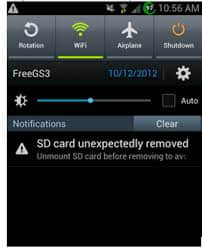
SD card shows as storage on a mobile phone, which can be used for data storage. However, when you open "Storage" on Android, It says "SD card unexpected removed. Unmount SD card before removing to avoid data loss”? When you receive the message, you can no longer save even a single file to it. What is worse, the error cause the data to inaccessible, but don’t worry, let’s discus the solution to fix it.
1. The connection between your phone or digital camera and SD card is loose so the device cannot detect the card successfully.
2. The SD card is not formatted. In this case, you can format your SD card. However, formatting will delete all data on the SD card. Therefore, please make a proper backup before formatting.
3. The SD card is incompatible with your device. It recommends to check the version and instructions of both the card and your phone or digital camera to see whether they are matched.
4. Your phone or digital camera is damaged. You can connect your SD card to PC to check whether it is working normally. If it works fine, then it means that there is no issue with your SD card. If not, your phone or digital camera is damaged.
5. SD card has been attacked by a virus. You can run antivirus software to scan the card and remove virus.
6. The SD card is broken after long-term use. It is time to buy a new one.
Free Download Bitwar Data Recovery and install the powerful software on your Windows, and then launch it. Mac System installs Bitwar Data Recovery for Mac version. Then follows the steps below to recover data from SD card.
After following the above 4 steps, files on SD card will be back. Then you can reformat SD card to fix SD card Unexpectedly Removed Error.
want to know how to fix the Reasons for SD Card Removed Unexpectedly ,please refer to:[Solved] How to fix SD Card Was Unexpectedly Removed Error
Possible Reasons for SD Card Removed Unexpectedly
Why Does My Phone Keep Saying SD Card Unexpectedly Removed? The followings are the possible reasons.1. The connection between your phone or digital camera and SD card is loose so the device cannot detect the card successfully.
2. The SD card is not formatted. In this case, you can format your SD card. However, formatting will delete all data on the SD card. Therefore, please make a proper backup before formatting.
3. The SD card is incompatible with your device. It recommends to check the version and instructions of both the card and your phone or digital camera to see whether they are matched.
4. Your phone or digital camera is damaged. You can connect your SD card to PC to check whether it is working normally. If it works fine, then it means that there is no issue with your SD card. If not, your phone or digital camera is damaged.
5. SD card has been attacked by a virus. You can run antivirus software to scan the card and remove virus.
6. The SD card is broken after long-term use. It is time to buy a new one.
How to recover data from the SD card?
We use Bitwar Data Recovery to repair SD card data. Bitwar Data Recovery is a professional memory card data recovery software, which specially designed to recover lost/deleted photos, videos, and other files from different types of storage devices including hard disk, SD card, USB disk, etc. Besides, it can help to recover lost data without affecting the original data.Free Download Bitwar Data Recovery and install the powerful software on your Windows, and then launch it. Mac System installs Bitwar Data Recovery for Mac version. Then follows the steps below to recover data from SD card.
Step 1. Select the raw partition or device
Launch Bitwar Data Recovery software on your Windows and connect SD card to it. Select the SD card (no matter what file system is identified) and click "Next".Step 2: Select the Scan Mode
On this step, you can choose “Quick Scan” mode to recover lost files first, If you cannot find files after Quick Scan, try Deep Scan again. The deep scan will search every sector of hard drive to find all existing files.Step 3: Select the file types
Select the exact types of files you have lost, I suggest you choose “Select All Types” to recover all files back from SD card. Then click “Next” to start scanning.Step 4: preview and recover lost files
After the scan, you can filter the files that you want by file name, type, path and time. Then preview them, select the file and click the "Recover" button to save it to another partition or external device.
Note: Do not save files directly to the SD card where the data is being restored. After the SD card is normal, you can move the files back to the SD card.
want to know how to fix the Reasons for SD Card Removed Unexpectedly ,please refer to:[Solved] How to fix SD Card Was Unexpectedly Removed Error
How to recover deleted files mac without software
How to recover deleted files mac without software? We may ask the same question on forums when we accidentally delete important files on our Mac.
Fortunately, there are few possible ways to recover deleted files on MAC OS X. We can recover deleted files on Mac without software by operating "Undo Move", restoring deleted files from Trash, or recovering deleted files from Time Machine.
However, those ways can't work if we have emptied Trash and we have no backup for the deleted files. Under this situation, we should find a best Mac data recovery software to recover deleted files.
Free download and install Mac file recovery software for Mac on this URL: http://www.bitwar.net/data-recovery-software/. It is compatible with OS X 10.11 and later.
Tips: For latest macOS 10.13 (High Sierra) system requirements, Mac users are not allowed an access to system disk from apps. If you want to recover data from the system disk, please disable the system feature "System Integrity Protection (SIP)" , see the guide on How to Disable System Integrity Protection (SIP) in macOS High Sierra (macOS 10.13)?
want to know steps to recover deleted files on mac, please refer to :How to recover deleted files mac without software
Fortunately, there are few possible ways to recover deleted files on MAC OS X. We can recover deleted files on Mac without software by operating "Undo Move", restoring deleted files from Trash, or recovering deleted files from Time Machine.
Method 1. Recover deleted files by operating "Undo Move".
If the last thing we did in the Folder was to delete files, we can select Edit > Undo Move (Command-Z) to return deleted files to their previous positions.Method 2. Restore deleted files from Trash.
Files that we've deleted normally were sent to the Trash. The Trash will hold our deleted files until we empty the Trash. So Trash is the first place to look when we delete files. If the deleted files can be found in Trash, we can drag those files out or put back them.Method 3. Recover deleted files from Time Machine.
Time Machine is useful for us to back up our files. If we have backed up those deleted files with Time Machine, we can restore our deleted file from there.However, those ways can't work if we have emptied Trash and we have no backup for the deleted files. Under this situation, we should find a best Mac data recovery software to recover deleted files.
How to recover deleted files on mac with a best Mac data recovery software?
Bitwar Data Recovery for mac is a best Mac data recovery software which can recover deleted/formatted or lost files from Mac hard drive, USB drive, memory card, external hard disk etc. All kinds of files can be recovered including photos, documents, audio, folders, archives, etc. it also allows you preview scanned files before you recover them.Free download and install Mac file recovery software for Mac on this URL: http://www.bitwar.net/data-recovery-software/. It is compatible with OS X 10.11 and later.
Tips: For latest macOS 10.13 (High Sierra) system requirements, Mac users are not allowed an access to system disk from apps. If you want to recover data from the system disk, please disable the system feature "System Integrity Protection (SIP)" , see the guide on How to Disable System Integrity Protection (SIP) in macOS High Sierra (macOS 10.13)?
want to know steps to recover deleted files on mac, please refer to :How to recover deleted files mac without software
2018年10月14日星期日
Best free android data recovery software
这里提供完整的免费Android数据恢复解决方案。如果您想从Android设备恢复已删除的文件,请继续阅读直至结束。
Android系统是手机中最受欢迎的系统之一。所以有这么多用户使用Android手机。我们的Android设备可以做很多事情,比如拍照,录像,存储和播放音频,视频,照片等媒体文件,最重要的是下载游戏和应用程序。
但是,由于存储空间有限,互联网上没有保护以及操作不正确,我们经常会丢失Android设备上的重要数据。如何恢复android数据?这是一个最好的免费Android数据恢复软件,可以帮助您解决这个问题。
实际上,当文件被删除时,它不会永久删除。它刚刚被标记并隐藏在你的Android手机上,这就是为什么数据恢复软件可以找到并恢复它。但是,如果有新数据,删除的数据是可替换的。因此,如果您尝试在删除数据后立即恢复数据,您将有更多机会将其恢复。如果你在数周或数月后这样做,那么你可能会永远失去它们。
Bitwar Android数据恢复是Android设备上最好的免费Android数据恢复软件。它具有友好的用户体验和向导操作,您只需三步即可从Android设备恢复数据,包括联系人,消息,通话记录,照片,视频,语音等。
Android系统是手机中最受欢迎的系统之一。所以有这么多用户使用Android手机。我们的Android设备可以做很多事情,比如拍照,录像,存储和播放音频,视频,照片等媒体文件,最重要的是下载游戏和应用程序。
但是,由于存储空间有限,互联网上没有保护以及操作不正确,我们经常会丢失Android设备上的重要数据。如何恢复android数据?这是一个最好的免费Android数据恢复软件,可以帮助您解决这个问题。
实际上,当文件被删除时,它不会永久删除。它刚刚被标记并隐藏在你的Android手机上,这就是为什么数据恢复软件可以找到并恢复它。但是,如果有新数据,删除的数据是可替换的。因此,如果您尝试在删除数据后立即恢复数据,您将有更多机会将其恢复。如果你在数周或数月后这样做,那么你可能会永远失去它们。
Bitwar Android数据恢复是Android设备上最好的免费Android数据恢复软件。它具有友好的用户体验和向导操作,您只需三步即可从Android设备恢复数据,包括联系人,消息,通话记录,照片,视频,语音等。
使用Android恢复工具之前您应该知道的提示
- 为什么不将新数据写入Android设备
删除文件后,手机不会将其擦除空间,而是将删除的文件保留在手机的内存空间中,直到新数据保存到手机并覆盖已删除的内容为止文件。如果删除的文件被新数据覆盖,那么您将无法再从Android恢复已删除的文件。
2.立即停止使用Android手机
您必须完全停止操作手机,甚至必须关闭WiFi并且不要运行任何应用程序。因为当应用程序运行时,它将在手机内存中生成数据,这可能会覆盖丢失的数据。
3.及时恢复丢失的Android文件
在您丢失/删除手机中的数据时,您应该立即使用Bitwar Android Recovery恢复它。
想进一步了解Best free android数据恢复软件 - Bitwar Android Recovery如何恢复数据,请参考:Best free android data recovery software
How to recover deleted pictures from Mac
谁没有从PC或外部存储设备丢失数据?目前,人们使用电子设备大量存储数据,导致数据丢失已经很普遍。幸运的是,删除图像可能不是世界末日。在大多数情况下,这些图片仍然隐藏在垃圾箱中,可以轻松检索。如果没有,你会认为它们永久丢失。如何从Mac 恢复已删除的图片?
这实际上不是事实。当从计算机中删除数据文件时,文件目录暂时消失,但是,删除文件的内容不会立即被销毁。Mac只是通过更改文件表中的一个字符来标记硬盘空间可用,以便文件条目不会显示在“我的电脑”或命令行等中,但数据区域不会被删除,所以删除文件仍然存在。因此,如果您的照片被意外删除或格式化,请不要惊慌。您仍然有机会使用简单的照片恢复工具恢复照片。
适用于Mac的Bitwar数据恢复软件是一款快速,可靠且功能强大的数据恢复软件,适用于数字图像和文件恢复。它可以帮助您轻松从已清空的垃圾箱,数码相机,存储卡,CF卡,SD卡,USB闪存驱动器和外部硬盘等恢复已删除的照片。
这实际上不是事实。当从计算机中删除数据文件时,文件目录暂时消失,但是,删除文件的内容不会立即被销毁。Mac只是通过更改文件表中的一个字符来标记硬盘空间可用,以便文件条目不会显示在“我的电脑”或命令行等中,但数据区域不会被删除,所以删除文件仍然存在。因此,如果您的照片被意外删除或格式化,请不要惊慌。您仍然有机会使用简单的照片恢复工具恢复照片。
适用于Mac的Bitwar数据恢复软件是一款快速,可靠且功能强大的数据恢复软件,适用于数字图像和文件恢复。它可以帮助您轻松从已清空的垃圾箱,数码相机,存储卡,CF卡,SD卡,USB闪存驱动器和外部硬盘等恢复已删除的照片。
想要了解有关如何使用Bitwar Data Recovery从Mac恢复已删除图片的更多信息,请参阅:How to recover deleted pictures from Mac
Best free photo recovery software for windows to recover lost photos
没有什么比人们意识到照片丢失更痛苦和焦虑。因为当照片丢失时,记忆可能会永远消失。有时,数据丢失的原因可能是意外删除,格式错误,病毒攻击等。在这种情况下,您需要获取最好的免费照片恢复软件,可以从您的硬盘或其他外部设备检索照片,取决于你丢失它们的位置。
Bitwar数据恢复软件是用户从硬盘,SD卡,USB,闪存驱动器,存储卡,数码相机恢复照片的完美选择,无论存储设备如何,它总是存在各种数据丢失情况的风险。如Windows中的系统崩溃,硬盘格式化,病毒攻击,错误删除,分区丢失和其他未知原因。Bitwar数据恢复是数百万人恢复照片的首选。
Bitwar数据恢复软件是用户从硬盘,SD卡,USB,闪存驱动器,存储卡,数码相机恢复照片的完美选择,无论存储设备如何,它总是存在各种数据丢失情况的风险。如Windows中的系统崩溃,硬盘格式化,病毒攻击,错误删除,分区丢失和其他未知原因。Bitwar数据恢复是数百万人恢复照片的首选。
想要了解更多关于Windows免费照片恢复软件以恢复丢失的照片,请参阅:Best free photo recovery software for windows to recover lost photos
2018年10月7日星期日
[Issue Solved] how to fix “a disk read error occurred”
Summary: When the “A disk read error occurred” error screen appears on startup on a black screen without an identifiable error code. If your computer gives this error, you should be very cautious and handle it as soon as possible. What should you do?
It appears with message "A disk read error occurred Press Ctrl + Alt + Del to restart" as picture below. When you press Ctrl + Alt + Del to restart computer you still get same error without being able to boot up Windows. Since reasons behind this error are varied, there is no set solution to fix this issue. We provide a couple of different solutions so that you can try out to fix this problem on your own.

It appears with message "A disk read error occurred Press Ctrl + Alt + Del to restart" as picture below. When you press Ctrl + Alt + Del to restart computer you still get same error without being able to boot up Windows. Since reasons behind this error are varied, there is no set solution to fix this issue. We provide a couple of different solutions so that you can try out to fix this problem on your own.
Two steps to fix "A disk read error occurred" issue
Step 1. Backup or recover your data
Step 2. Try the following guides to fix "A disk read error occurred" issue
want to know how to fix the issue, please refer to: https://www.bitwar.net/course/delete/1317.htmlHow to Fix the Error "windows detected a hard disk problem"
"Have you ever met this issue that your computer suddenly pops up an error message, warning you ‘Windows detected a hard disk problem’?
Windows has an inbuilt mechanism that checks the hard drive and reports errors if something isn’t working as expected. In case of a problem is detected, the user gets the error warn. Just like Windows Detected a Hard Disk Problem.
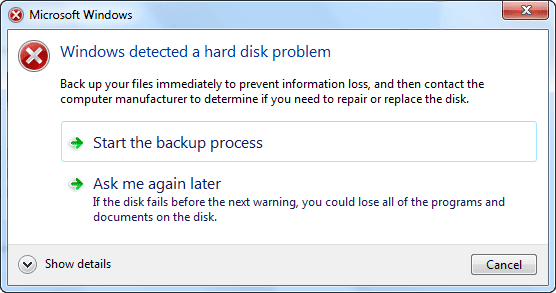
If you see this warning, it means that there are some issues emerging in the course of your hard disk operation. The operating system may be damaged or failed to boot when you start your PC next time. Therefore, first you should back up your files and then follow the instructions given in this post to fix the problem. Do not disable this useful warning as it alerts you the failure of hard disk. Then let’s find the reasons and causes of why hard disk problems occurred and solutions to fix Windows Detected a Hard Disk Problem.
● Hard drive/disk failure;
● System errors such as registry error etc;
● Logical/mechanical error;
● File system corruption/damaged;
● Bad sectors occur on hard disk partition;
● Virus attack;
● False operation/human error etc.
If any of those above-mentioned issues happen to your hard drive in PC, Windows would detect the problems and remind you of the error message - ‘Windows detected a hard disk problem’.
Backup important hard disk data in advance. But if you can't backup immediately or you are way too slow to back up the entire hard disk data, you can try a third-party software to retrieve disk data with ease. Here we’d like to recommend you a professional data recovery software - Bitwar Data Recovery software which allows you to free retrieve disk data with simple clicks.
Download and install Bitwar Data Recovery software on your windows, launch it and follow the next steps to retrieve your lost data back.
Windows has an inbuilt mechanism that checks the hard drive and reports errors if something isn’t working as expected. In case of a problem is detected, the user gets the error warn. Just like Windows Detected a Hard Disk Problem.
Causes of hard disk problem
● Hard drive/disk failure;
● System errors such as registry error etc;
● Logical/mechanical error;
● File system corruption/damaged;
● Bad sectors occur on hard disk partition;
● Virus attack;
● False operation/human error etc.
If any of those above-mentioned issues happen to your hard drive in PC, Windows would detect the problems and remind you of the error message - ‘Windows detected a hard disk problem’.
What can you do when unexpected hard disk problem happen?
Backup important hard disk data in advance. But if you can't backup immediately or you are way too slow to back up the entire hard disk data, you can try a third-party software to retrieve disk data with ease. Here we’d like to recommend you a professional data recovery software - Bitwar Data Recovery software which allows you to free retrieve disk data with simple clicks.
Steps to retrieve data from error hard disk with Bitwar Data Recovery
Download and install Bitwar Data Recovery software on your windows, launch it and follow the next steps to retrieve your lost data back.
about how to retrieve data from error hard disk with Bitwar Data Recovery,please refer to:https://www.bitwar.net/course/delete/1315.html
How to recover trash on mac?
If you delete a file from the trash on mac, then you find that it is important. What should you do? How to recover trash on mac? This article offers Mac users an easy way to restore Mac trash bin and restore Mac trash data with simple clicks.
It is easy for users to delete files into the trash on Mac and most Mac users would clean up their trash regularly. However, sometimes this can cause serious data loss. When users realize that they deleted some important files and emptied Mac trash, Is there any regret medicine? Is it possible to recover data from trash?
Clicking "Empty Trash" or delete data from trash, in fact, does not mean to erase the files in the trash bin but instead the hard drive's directory entries for those files. This means those deleted files are still at somewhere on the hard disk and you can't access to the file from the system. You can recover them as long as the file on the hard disk has not been overwritten. How to recover trash on mac?
To recover emptied trash Mac, you can try Bitwar Data Recovery for Mac, an easy-to-use data recovery software for Mac users, with its friendly interface, and a few clicks, just several minutes, you can recover deleted files from trash on mac in easily.
wang to recover data from trash, please refer to:
It is easy for users to delete files into the trash on Mac and most Mac users would clean up their trash regularly. However, sometimes this can cause serious data loss. When users realize that they deleted some important files and emptied Mac trash, Is there any regret medicine? Is it possible to recover data from trash?
Clicking "Empty Trash" or delete data from trash, in fact, does not mean to erase the files in the trash bin but instead the hard drive's directory entries for those files. This means those deleted files are still at somewhere on the hard disk and you can't access to the file from the system. You can recover them as long as the file on the hard disk has not been overwritten. How to recover trash on mac?
To recover emptied trash Mac, you can try Bitwar Data Recovery for Mac, an easy-to-use data recovery software for Mac users, with its friendly interface, and a few clicks, just several minutes, you can recover deleted files from trash on mac in easily.
wang to recover data from trash, please refer to:
https://www.bitwar.net/course/recyclebin/1297.html
How to fix “file or directory is corrupted and unreadable” error
Summary: Recently, we’ve received many complains from various customers who were opening some files on their hard drive and finally the action was blocked due to a Windows prompt: “file or directory is corrupted and unreadable”. Here in this article, we’ll introduce you the best way to solve this issue.
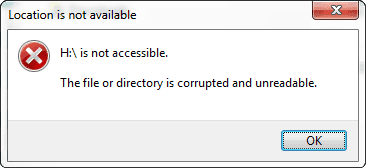
Sometimes, when you plugged in an external hard drive, USB flash drive, SD card or some other storage devices into your computer runs Windows, the operation system prompts error message: "Drive H:\ is not accessible. The file or directory is corrupted and unreadable."
If you check the file system of the USB drive, you are likely to find that it is RAW file system. It means the drive is just manufactured and hasn't been formatted, while you know things should not be like this, for the last time you used the USB drive, it was in normal state. So what caused this error message? And how to solve this issue?
When "The file or directory is corrupted and unreadable" message happens, you cannot access your device and might end up with huge data loss at most times. To avoid the disaster, next, we will show you how to restore it data and how to fix the error with 3 simple steps.
read more how to recover raw data with Bitwar Data Recovery Software,please refer to:
Error: The File or Directory is Corrupted and Unreadable
Sometimes, when you plugged in an external hard drive, USB flash drive, SD card or some other storage devices into your computer runs Windows, the operation system prompts error message: "Drive H:\ is not accessible. The file or directory is corrupted and unreadable."
If you check the file system of the USB drive, you are likely to find that it is RAW file system. It means the drive is just manufactured and hasn't been formatted, while you know things should not be like this, for the last time you used the USB drive, it was in normal state. So what caused this error message? And how to solve this issue?
When "The file or directory is corrupted and unreadable" message happens, you cannot access your device and might end up with huge data loss at most times. To avoid the disaster, next, we will show you how to restore it data and how to fix the error with 3 simple steps.
How to restore unreadable data from raw partition
To get the data back from RAW partition back, we recommend you a best free data recovery software - Bitwar Data Recovery, It is a powerful, reliable and easiest free data recovery tool that supports you recover data from all data loss problems, for example, restoring data from lost, missing, or raw partitions/devices.read more how to recover raw data with Bitwar Data Recovery Software,please refer to:
订阅:
博文 (Atom)
Jak odzyskać usunięte lub utracone partycje na dysku Windows?
Po uruchomieniu komputera zauważyłeś, że jedna z partycji zniknęła? Twoje ważne dane mogą być przechowywane na tej partycji. Jak odzyskać ...

-
Having troubles on accessing your Gmail or Google account? Forgot the password or even the email address? Relax, use g.co/recover for hel...
-
Windows或Mac作業系統經常會丟失重要的檔案,或誤操作刪除、或誤格式化丟失、甚至中毒、系統出錯等。這誰都有遇到過。有什麼難的呢?我們可以到google上找尋一些好用的檔案救援軟體Data Recovery wizard來救回這些丟失的重要檔案。 搜尋好用的檔案救援軟體 ...
-
默認情況下, 還原點 Win10 功能已成為Windows作業系統的一部分。該功能使您可以快速將Windows PC還原到較早的日期,而不會丟失個人檔案。例如,如果您的PC今天開始工作,則可以將PC復原到以前的日期(當PC運行良好時),以盡快解決Windows出現的問題。 根據磁...


