2020年2月19日星期三

Fix Xbox One Green Screen of Death 2020

Have you ever faced the Xbox one green screen of death issue before or you are now having the Xbox one stuck on Loading green screen? Here's the tutorial to lead you how to fix this issue and then guide you a file recovery on Xbox one.


Xbox One is a line of eighth-generation home video game consoles developed by Microsoft. Announced in May 2013, which is one of the most popular game consoles like Nintendo Switch, PlayStation Vita, Project Shield, etc. Likewise, Xbox One is using hard drive to store games as others, and we found that many users had such issue on the internet:

When I turn on my Xbox one, it sticks on loading green screen, but it does not continue. I waited for even 2 hours but still the same. How can I fix this issue, please help!

Don't panic, if you cannot find the answers through Google, try to find the answers here! 

Solution One. Offline Update the Xbox One system to fix the green screen of death

To update Xbox one offline system, you'll need:

1. A Windows-based PC with an Internet connection and a USB port.
2. A USB flash drive with a minimum of 4 GB of space formatted as NTFS.

Tips: You'll have to format the USB flash drive as NTFS partition before you try to perform the formatting, backup all of the necessary files onto the computer.

Then follow the below tutorial to save the ZIP file on the USB flash drive:

Step 1. Connect this NTFS USB flash drive with the computer.
Step 2. Download Offline System Update file OSU1 from http://www.xbox.com/xboxone/osu1
Step 3. Save the update .zip file to the computer.
Step 4. Unzip the file by right-clicking on the file and extract update.zip.
Step 5. Copy the $SystemUpdate file from the .zip file to USB flash drive.

SD Card Recovery Key Generator Crack

Does free download memory card recovery software full version crack with serial keys? Bitwar is a free and safer SD card data recovery software for you.

How to get SD Card Data Recovery Software Free Download Full Version with Crack?

There are many pirate websites claimed that they could offer SD memory card recovery software wizard pro crack with a license key. However, most of you will waste time on pasting it to the software and find that the license key is invalid or has been used already.

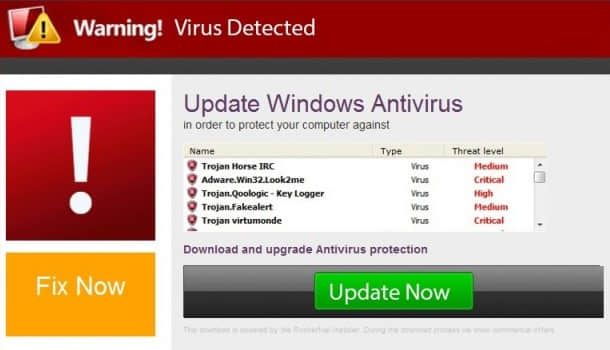
An even worse situation is that you find that virus attack or Trojan infection after you launching the cracked SD card recovery software.
warning

We know that you are willing to free download SD card data recovery software full version to recover the lost document, video, photos, etc. But it's not a smart choice to download the cracked software from the pirate websites as you must take the risky on exposing your computer to the dangerous situation.

Then what should we do once we find lost data from SD card?

Free & Safe Alternative SD Card Recovery Software is your best choice

Firstly, we need to know that losing data from SD card isn't terrible, once lost data was found from the SD card. We have to make sure not to use the SD card anymore before successfully retrieving lost data. In the meantime, stop downloading or using the SD memory card full version crack to prevent further data loss on your computer.

No matter how expensive to purchase the license key from the data recovery software, it's not the reason to use Cracked SD recovery software! And indeed, we can provide you the 100% free and safer data recovery solution.

Bitwar Data Recovery Software is such a powerful data recovery tool that we would like to present to you, which is completely copyrighted data recovery software. Most importantly, it's 100% free and you can even recover unlimited amounts of lost files from your SD card, hard drive or any supported storage devices.

2020年2月4日星期二

Recover Lost Data From Hard Drive for Free

When you use your computer, no one can make the hard drive absolutely safe. We may encounter hard drive data loss problems. In this article, we will introduce you to how to Recover Lost Data from Hard Drive for free after deleting or formatting.
 
We may encounter many hard drive data loss problems, such as:
  1. Virus attack.
  2. Accidental file deletion or format.
  3. Critical file system structures loss or corruption.
  4. Unexpected system shutdown or application failure.
  5. Partition structures are damaged or lost.
  6. Damage due to a power failure or surge.
  7. Unknown reasons.
 
Any of the above situations is dangerous to our data stored on the hard drive. So we should figure out a way to recover the lost data and often backup our important data. Do you know how to perform super recovery on rescuing the missing data from the hard drive?

Why hard disk data can be super recovered?

Even if some data on the hard drive is deleted, it still exists.
 
When the files on the hard drive are deleted, damaged by viruses, and the partitions are formatted, those files that appear to be deleted are only marked with "delete", and the disk space occupied by the data is marked as "idle". So at this time, we can't see this file, but in fact, the file is still "stay" on the hard disk. The deleted file data will always stay there until new files are created.
 
So this gives us a chance to recover lost data from hard drive, with a powerful data recovery tool, it would be easy and simple to get deleted files back from your hard drive.
 
Bitwar Data Recovery is a fast, reliable and powerful data recovery tool which can recover all types of files including photos, videos, documents, audios, etc. from hard disk, mobile hard disk, U disk, SD card, memory card, digital cameras, and other devices. And allows you to preview scanned files before recovery.

Jak odzyskać usunięte lub utracone partycje na dysku Windows?

  Po uruchomieniu komputera zauważyłeś, że jedna z partycji zniknęła? Twoje ważne dane mogą być przechowywane na tej partycji. Jak odzyskać ...