You may receive see the image below when you are trying to start a program or open a file on your Windows computer. But do you know the possible reasons that make Windows fail to access the specified device, path or file as normal? And do you want to restore the lost data and files?
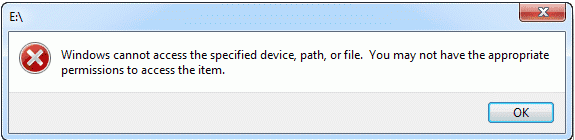
Causes of the error:
You may not have the appropriate permissions to access the item because of the following reasons.1. You don't have permissions to the file, the folder or the drive.
2. You are clicking a shortcut to access a file on an external drive or a network location that is now not properly connected to the PC or is not available.
3. The file has been deleted or moved to other location. Or the file or its shortcut is corrupt.
4. The file may be blocked by Windows.
5. The file is blocked by the anti-virus software of your computer.
Read more?[Solved] Windows Cannot Access the Specified Device Path or File


没有评论:
发表评论