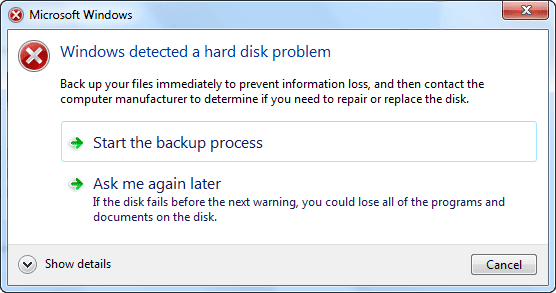
Windows has an inbuilt mechanism that checks the hard drive and reports errors if something isn’t working as expected. In case of a problem is detected, the user gets the error warn. Just like Windows Detected a Hard Disk Problem.
Causes of hard disk problem
● Hard drive/disk failure;
● System errors such as registry error etc;
● Logical/mechanical error;
● File system corruption/damaged;
● Bad sectors occur on hard disk partition;
● Virus attack;
● False operation/human error etc.
If any of those above-mentioned issues happen to your hard drive in PC, Windows would detect the problems and remind you of the error message - ‘Windows detected a hard disk problem’.
What can you do when unexpected hard disk problem happen?
Backup important hard disk data in advance. But if you can't backup immediately or you are way too slow to back up the entire hard disk data, you can try a third-party software to retrieve disk data with ease. Here we’d like to recommend you a professional data recovery software - Bitwar Data Recovery software which allows you to free retrieve disk data with simple clicks.
Steps to retrieve data from error hard disk with Bitwar Data Recovery
Download and install Bitwar Data Recovery software on your windows, launch it and follow the next steps to retrieve your lost data back.


about how to retrieve data from error hard disk with Bitwar Data Recovery,please refer to:https://www.bitwar.net/course/delete/1315.html


没有评论:
发表评论